Export batch EML Files to HTML magnificently
Step1
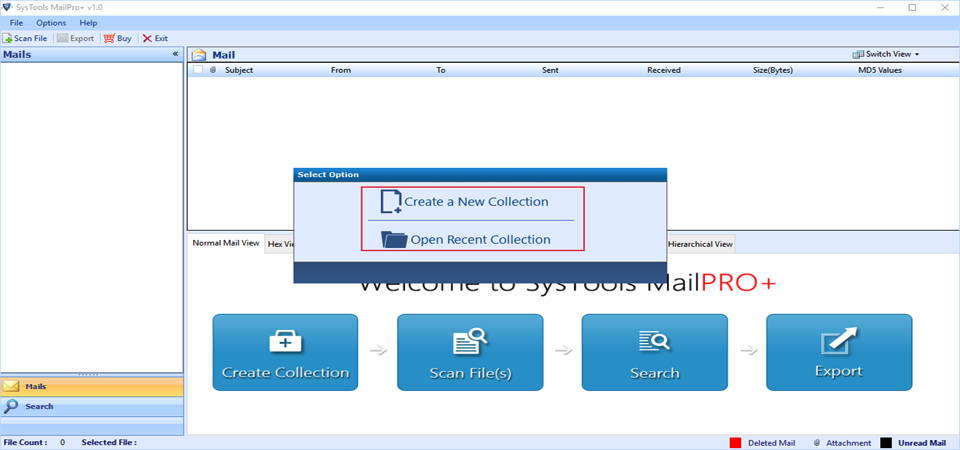
Install the software after downloading it. The very first window flashed will provide two options:
Step2
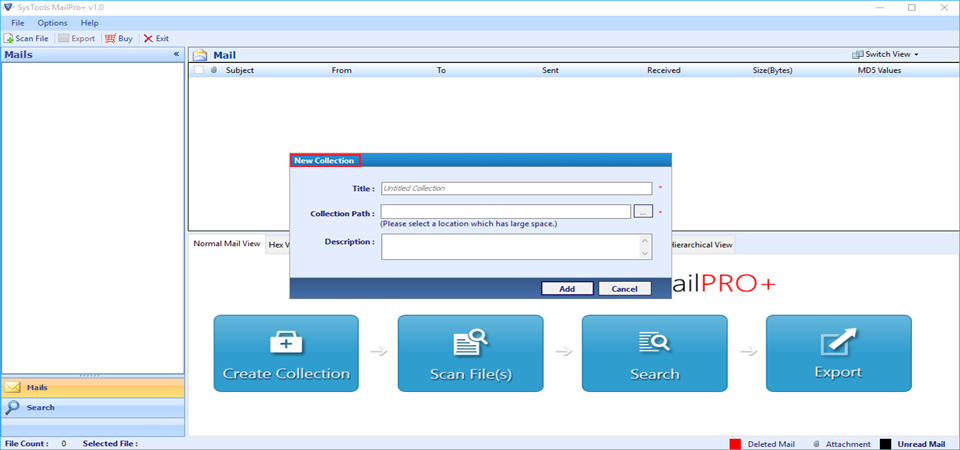
While creating a new collection, the tool asks to fill the details like Title Name, destination, and Collection Path. Once done with the pre-requisites, click on Add Button.
Step3
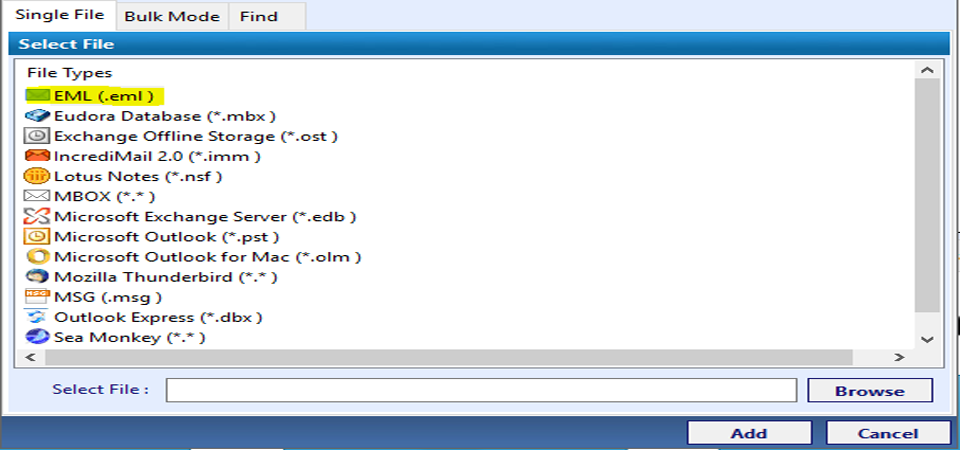
Once the complete information is fulfilled, select the .html email type and then add modes in file.
Step4
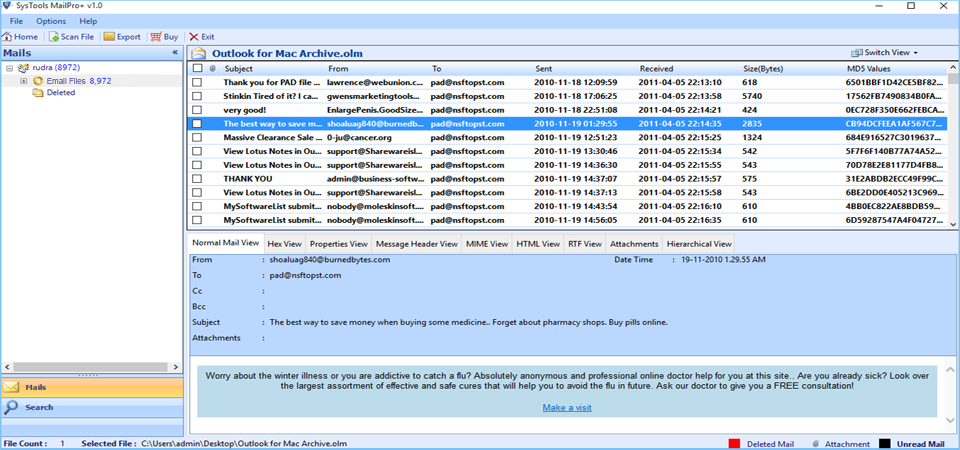
Add the selected files the software starts process of scanning details like collection name, created on, and many more. Select emails to be imported from EML files to HTML and go for the export option.
Step5
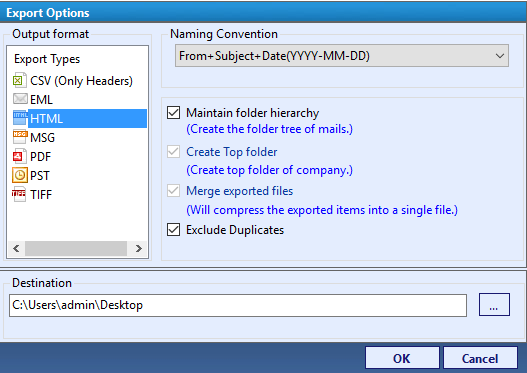
Select the HTML files from available options. Click on browse button and select the location to save the exported files. Choose destination location by browsing files. Hit on OK button.
I work in a Multi-National Company, I have my data in EML form. I need to import data from EML files to HTML just in case to remain connected to the web. Many times, I consider it safe to get data from web as backup in case of corruption. The corrupt EML files require a lot of money to be repaired. So, is there any possible way to convert EML to HTML. Or is there any software available to perfrom such task.
When Migrating from EML to MSG the challenges and the issues which comes are: -
From the above issues encountered, users seem to be quiet interested to save the data in HTML format to get the data in case of corruption. The thing users should keep in mind is that no problem is big. All the issues can be resolved easily all one has to do is say Crescendo to our EML to HTML utility. The tool will come to your rescue. The tool is robust enough to prevent data loss in every case of migration because while performing manual method one is more prone to the loss of data. The utility is designed using such an algorithm that it can maintain the integrity of data even after migration of EML files to HTML.
Q:
A:
Yes, using the utility, one can modify the items using the advance filter option. The option serves one with so many functionalities.
Q:
A:
Yes, conversion of both the files in bulk is easily possible using the Software.
Q:
A:
Yes, the tool is designed in such a way that it provides naming conventions to support conversion process in files easily.
Q:
A:
Yes, the tool is completely error free i.e., no issues related to data loss and even it preserves the internal structure of the data.
From many days I was surfing on web to find a utility with the help of which I can convert EML files to HTML. Then I came across the EML files to HTML converter utility. The utility not only even served my purposed but maintained the internal structure of the files. Kudos! to the entire team for such an innovative tool.
Abrahim – South Korea
I was stuck on a point where I wanted to import selective data from export EML emails to HTML. I was in a state of procrastination where I was not finding any solution. Then suddenly I came across a tool and for a second I thought it was only made to resolve my problem. Thank you team! for developing such a nice tool
Lucy - Turkey
The EML to HTML Software is useful in many aspects. The tool can open, save, and export the file formats easily. Moreover, in the kitty of tool there are many marvelous features that can come to the rescue of files if something has happened wrong while performing manual conversion. The EML file to HTML converter is a robust tool comprising of powerful search option to locate the files easily from any path.